

SBL 2022 DH Handout
Criticus
- open-source: view source code on GitHub
- MIT License
- Created with Python
- Distributed as a Python Package
Markdown to TEI
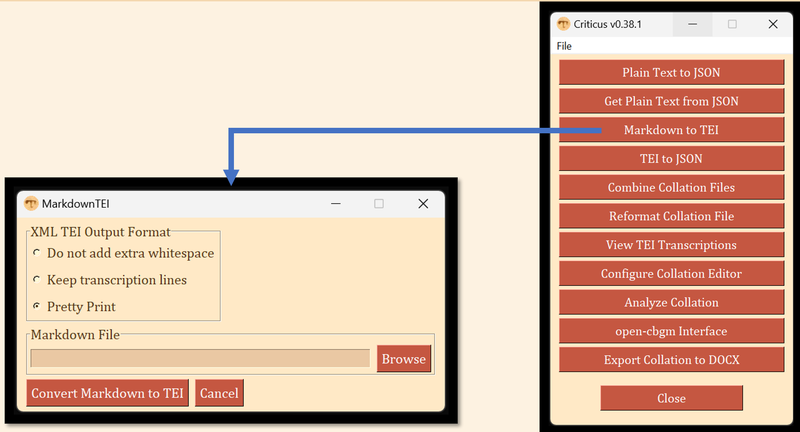
TEI Example
<!DOCTYPE TEI>
<TEI xmlns="http://www.tei-c.org/ns/1.0">
    <teiHeader>
        <fileDesc>
            <titleStmt>
                <title n="31506" type="document">A Transcription of GA 1506</title>
                <respStmt>
                    <resp when-iso="2020-09-12">Transcribed by </resp>
                    <name type="person"> David A Flood, II</name>
                </respStmt>
            </titleStmt>
        </fileDesc>
    </teiHeader>
    <text xml:lang="grc">
        <body>
            <div type="book" n="B06">
                <div type="chapter" n="B06K11">
                    <pb n="323v" type="folio"/>
                    <lb/><note type="commentary">One line of untranscribed commentary text</note>
                    <ab n="B06K11V4">
                        <lb/><w>αλλα</w><w>τι</w><w>λεγει</w><w>αυτω</w><w>ο</w><w>χρ<supplied>η</supplied>μα
                        <lb n="10"/>τισμος</w><pc>.</pc><w>κατεληψα</w><w>εικος</w>
                    </ab>
                </div>
            </div>
        </body>
    </text>
</TEI>
Key TEI elements:
<pb>= page break<ab>= anonymous block, B=book, K=chapter, V=verse<lb>= line break<w>= word<supplied>= equivalent to text in brackets e.g. [par]tially preserved text<pc>= punctuation
Existing Software for Creating TEI Transcriptions
- The FairCopy Editor
- Does not support important elements like
<w>and<pc> - Purchase required
- Does not support important elements like
- Online Transcription Editor
- It is actively developed by INTF and ITSEE, in the recent past it was also under development at Leuven.
- Free to use
- Extraordinarily flexible, not always a convenience
MarkdownTEI ‘Kitchen Sink’ Example
# A Simple Transcription Example
## FirstName LastName
### 2021-05-12
...................................
#### Romans
##### 11
<pb n="323v"/>
<lb/> words are tokenized
<lb/><v n="5">shortcut tag for verse unit
<lb/> [supp]lied [text] in brackets
<lb/> unclear `text` in back`ticks`
<lb/> some text followed by commentary <comm/>
<comm lines="3"/>
<lb/> **marginalia in double-asterisks**
<lb/> a word bro-
<lb n="8"/>ken over two lines
<lb/> {unencoded notes in braces}
<lb/> *encoded editer's note in single asterisks*
<lb/> ++ corrcdet tetx | corrected text ++
<lb/> add attributes to an `element`{reason='damage to page'}</v>
#####
####
Markdown to TEI: How?
- Criticus uses the Python-Markdown package
- I have created a custom extension module for Python-Markdown that is included with Criticus
- Criticus uses the lxml package for creating the TEI XML elements
- Criticus preprocesses the MarkdownTEI
- The MarkdownTEI text is rendered by a much-customized Python-Markdown package
- Criticus postprocesses the rendered XML and creates a few TEI-specific elements.
Export Collation to DOCX
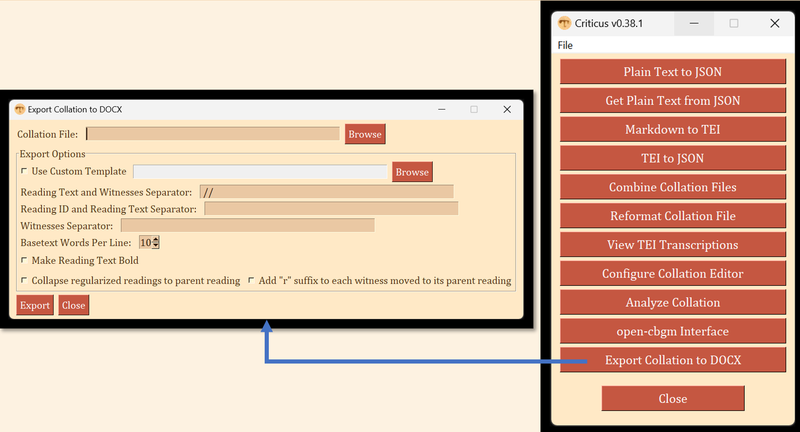
Simplified TEI Collation Example
<app type="main" n="1Cor1.3" from="4" to="4">
      <lem wit="NA28">υμιν</lem>
      <rdg n="a" varSeq="1" wit="01 0151 02 03 04 06 33 NA28 RP">υμιν</rdg>
      <rdg n="ar1" type="subr" varSeq="1" wit="P46">υμειν</rdg>
      <rdg n="b" wit="0150 2110 1506" varSeq="3" type="om"/>
</app>
Key elements:
<seg>= text upon which all witnesses agree<app>= text upon which at least one witness contains variation<lem>= the reading of the basetext<rdg>= a variant reading
Criticus: What’s Next?
- Ongoing Development
- Oldest modules should be refactored
- Most modules need better testing
- I am open to other contributors
- Long term, I want to reintroduce standalone installers or continue the move to the web